candidate guide
Edit & create versions
Use AI suggestions and tailor a new version.
1. Open your resume
Choose a version from My Resumes and open the editor. Check the target role and selected version before making changes.
2. Review AI suggestions
Provide the experience and role context you want the editor to use. Review suggested changes for accuracy. Do not add achievements, employers, dates, or metrics you cannot support.
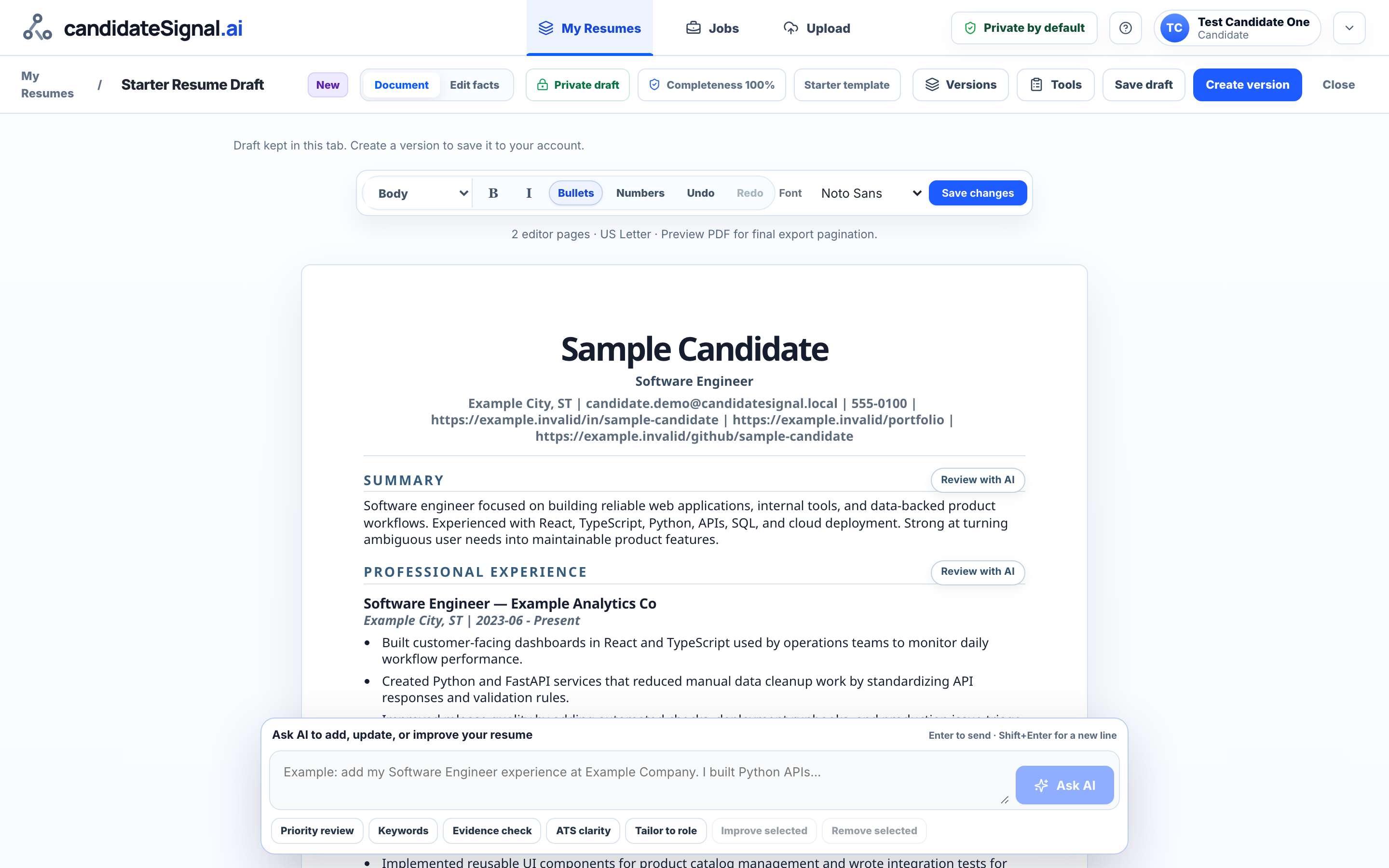
3. Save and export
Save approved changes and review the document before exporting. Plan & Usage shows your current resume and AI editing allowances.
You review every change and choose what to share.
Open candidate workspace